
 |

|
| ActiveWin: Reviews | Active Network | New Reviews | Old Reviews | Interviews |Mailing List | Forums |
|
|
|
|
|
DirectX |
|
ActiveMac |
|
Downloads |
|
Forums |
|
Interviews |
|
News |
|
MS Games & Hardware |
|
Reviews |
|
Support Center |
|
Windows 2000 |
|
Windows Me |
|
Windows Server 2003 |
|
Windows Vista |
|
Windows XP |
|
|
|
|
|
|
|
News Centers |
|
Windows/Microsoft |
|
DVD |
|
Apple/Mac |
|
Xbox |
|
News Search |
|
|
|
|
|
|
|
ActiveXBox |
|
Xbox News |
|
Box Shots |
|
Inside The Xbox |
|
Released Titles |
|
Announced Titles |
|
Screenshots/Videos |
|
History Of The Xbox |
|
Links |
|
Forum |
|
FAQ |
|
|
|
|
|
|
|
Windows XP |
|
Introduction |
|
System Requirements |
|
Home Features |
|
Pro Features |
|
Upgrade Checklists |
|
History |
|
FAQ |
|
Links |
|
TopTechTips |
|
|
|
|
|
|
|
FAQ's |
|
Windows Vista |
|
Windows 98/98 SE |
|
Windows 2000 |
|
Windows Me |
|
Windows Server 2002 |
|
Windows "Whistler" XP |
|
Windows CE |
|
Internet Explorer 6 |
|
Internet Explorer 5 |
|
Xbox |
|
Xbox 360 |
|
DirectX |
|
DVD's |
|
|
|
|
|
|
|
TopTechTips |
|
Registry Tips |
|
Windows 95/98 |
|
Windows 2000 |
|
Internet Explorer 5 |
|
Program Tips |
|
Easter Eggs |
|
Hardware |
|
DVD |
|
|
|
|
|
|
|
ActiveDVD |
|
DVD News |
|
DVD Forum |
|
Glossary |
|
Tips |
|
Articles |
|
Reviews |
|
News Archive |
|
Links |
|
Drivers |
|
|
|
|
|
|
|
Latest Reviews |
|
Xbox/Games |
|
Fallout 3 |
|
|
|
Applications |
|
Windows Server 2008 R2 |
|
Windows 7 |
|
|
|
Hardware |
|
iPod Touch 32GB |
|
|
|
|
|
|
|
Latest Interviews |
|
Steve Ballmer |
|
Jim Allchin |
|
|
|
|
|
|
|
Site News/Info |
|
About This Site |
|
Affiliates |
|
Contact Us |
|
Default Home Page |
|
Link To Us |
|
Links |
|
News Archive |
|
Site Search |
|
Awards |
|
|
|
|
|
|
|
Credits |


Product:
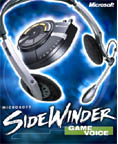
Microsoft SideWinder Game Voice
Company: Microsoft
Website: http://www.microsoft.com/hardware
Estimated Street Price: $59.95/�49.99
Review By: Byron Hinson/Julien
Jay
The Features
I had been hearing
faint whisperings of a Microsoft headset for sometime before Microsoft
finally announced early this year that the SideWinder Game Voice was due
for release in September. The SideWinder Game Voice comes with headset,
microphone and control pad, the idea is that you get the chance to speak
to other game players you are playing against or with over the internet
with little or no interference in lag.
Team Communication:
The communication gap is the common problem of all team-based games. Now
talk to your friends in your PC games instead of typing, with SideWinder
Game Voice. Game play is uncompromised and the sound is terrific! Have
your friends join in on the action with Game Voice Share software,
available for free download! Voice Commands: Ever
forgotten the key for a critical game command, or wished you could say
"grenades" or "flaps down" and have the computer
understand you? With Game Voice, command and control is now a
reality-use one of the pre-built command profiles or create and edit
your own. Multi-channel chat:
Group teamates or individuals into 5 distinct channels for private chat. Call the Shots:
Voice commands for your keyboard shortcuts. Your Personal
Bullhorn: Broadcast to as many as 64 players at once. Hardware Controls:
Mute your mic, adjust volume or switch to speakers from the control
unit. Powerful Software: Finding
and talking with friends is as easy as clicking on their name in the
integrated contact list. Installation
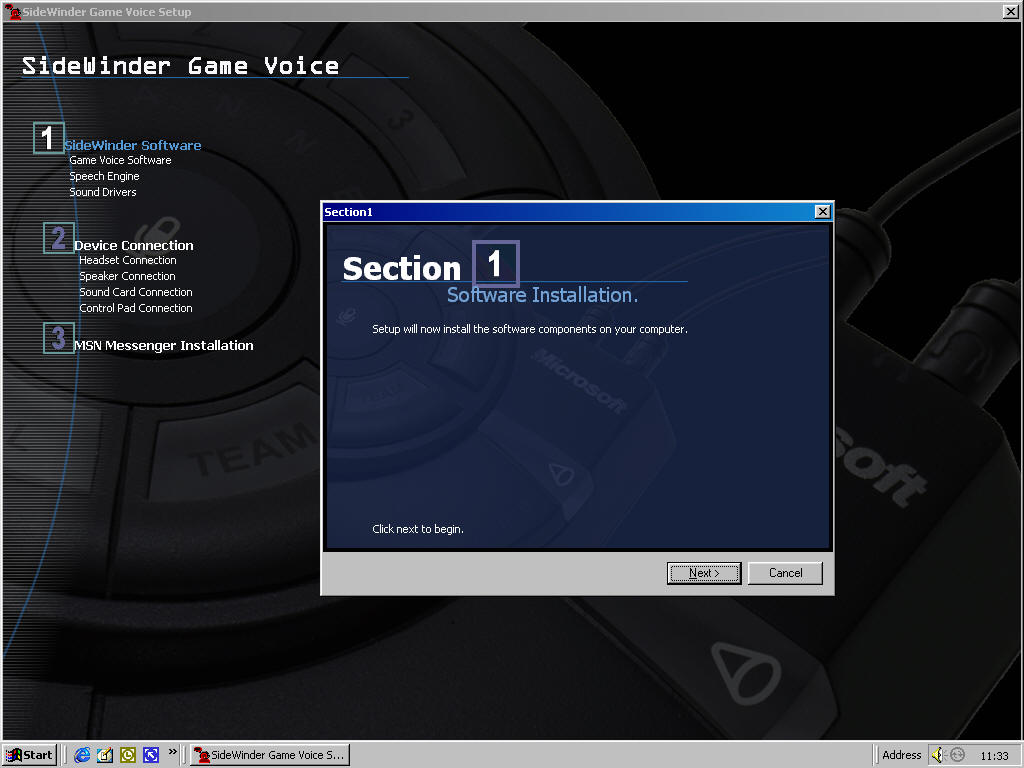
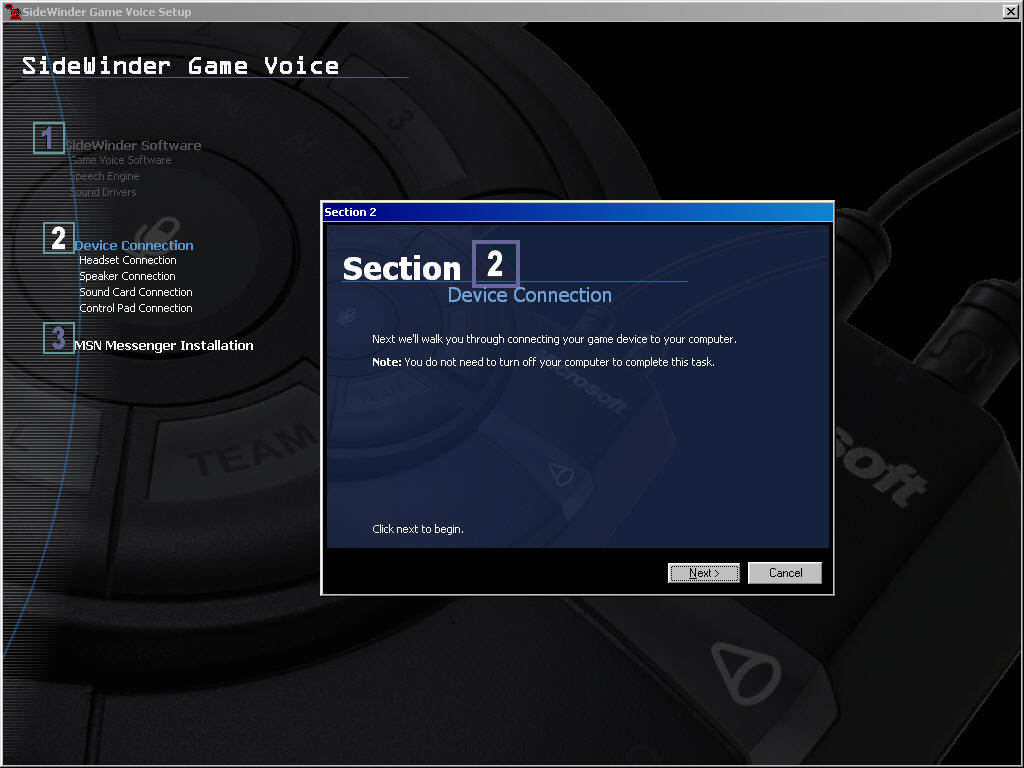
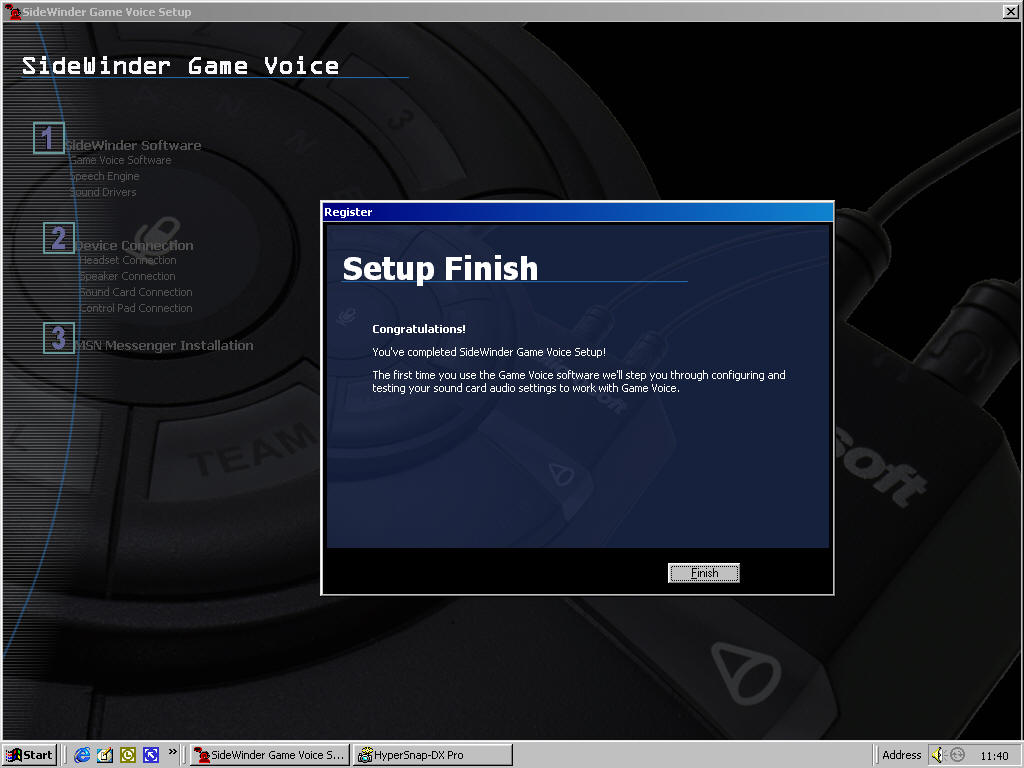
And Settings The SideWinder Game Voice hardware is
pretty easy to setup with your PC and soundcard/speakers. The first thing
you must do is to install the drivers and the chat software off of the CD
before connecting up the Game Voice to the USB port on your
computer...this only takes a couple of minutes or so. The only downside
here is that you have to sign up for an MS Passport ID to make sure the
installation runs through ok, this is needed if you want to use the MSN
Messenger software to speak to other game voice players and to setup games
easily. Once the driver installation
is out of the way you are on to setting up the game voice hardware itself,
again this just takes a couple of minutes as long as you read the
instructions in the manual. Firstly you need to connect your desktop
speakers to the cable hub on the game voice control pad, then the headset
to the control pad and the control pad to your sound card (Making sense?)
finally you just connect the control pad to the USB port on your PC and
you are finally ready to go at least you will be once the software is
installed you'll have to follow the steps of the audio wizard to ensure
that the input volume of the micro is correct and that the output is
sufficient. Once it's done you're ready to use your new device. Design
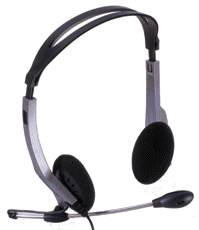
And The Feel The headset and headphones look and feel
great when worn, the headset can be moved out of the way easily if you
just want to use the headphones and look a complete idiot whilst playing a
single player game. The Game Voice control pad also looks pretty good, if
a little too plasticy for my liking, not only that, it doesn't look quite
as good as it does on the box as there is no white paint used to show up
the command, mic and channel words on the control pad. While playing games you tend to make use
of the control pad quite often and thankfully everything is easy to get to
and to press down. The
SideWinder GameVoice pad features 6 buttons named �1�, �2�,
�3�, �4�, �All�, �Team� that correspond to different
talking channels that can be selected together to talk up to 64 players at
the same time! The 1, 2, 3, 4 buttons can be assigned to four independent
gamers or can be shifted to even talk to more players. Note that you can
push simultaneously the 2 and 3 buttons for example to speak to the
players assigned to the 2 and 3 buttons. The All button permits gamers to
talk to everybody while the team button restricted the voice diffusion
only to the team members. When you push a button this one will be lighted
in orange so you know which mode is actually enabled. If you want nobody
to hear what you�re actually saying simply push the �mute� button!
Actually the use of the SideWinder GameVoice device is a record of
simplicity and you�ll get started very quickly. Sound To use the nice headset provided with the
Game Voice device you'll have to select the headphone position of the
gamepad output button, then you'll hear all the sound of your computer in
your headphone. It may not be
Audio Technica
headphones quality, but not bad for a Game Voice device. Voice
Recognition The first interesting feature of the
SideWinder Game Voice device for gamers is its ability to recognize your
voice in order to command your games using your own voice. Well you may
think that voice recognition is not really ready and that this feature is
surely a gadget� I can ensure you're fully wrong. Indeed the SideWinder
Game Voice software comes packed with several games profiles so if you
wanna play to Age of Kings just select the profile of the game and launch
it. In Age of Kings, select now an inhabitant and push the vocal command
button of the Game Voice pad and say 'Build a farm' for example: you'll be
amazed to see that the selected people will obey you by building a farm!
When a vocal command is recognized it'll be repeated by the voice of the
computer (you can even change the voice sex as man or women voices are
available) so you know the command has been understood. Otherwise the
software will tell you that the command is unrecognised by playing a small
sound. The most astonishing thing is that you can create your own game
profiles and you don't need to learn Game Voice your voice in order that
the vocal commands are recognized. Indeed you simply have to type the name
of the command you want to execute and assign it a shortcut into your
game: for example in Microsoft Midtown Madness you can create a shortcut
to play audio CD tracks: so type 'Play CD' assign the keyboard shortcut
and under Midtown Madness activate the vocal mode of the Game Voice and
say play cd: the CD audio tracks will be played ! It's simply amazing! Ready?
Let's talk! Now let's talk about the new gaming
experience the SideWinder Game Voice will offer you: first it works with
many existing games and you won't have to buy new ones to enjoy its
benefits. When you want to talk with teammates or enemies you have to
launch the SideWinder Game Voice software based on the Direct X's Direct
Play voice API. Note that the upcoming release of Direct X 8.0 will be a
great update for the game voice device. To connect with gamers you can
else uses an IP address or your MSN Messenger list of contacts (which is
more easier to use). If some players don't have the SideWinder Game Voice
device it's not a problem as they can download for free the Multilanguage
version of the SideWinder Game Voice Share software to be able to talk
with you (but that's all since this is a limited release). If you want to
play with 64 players at the same time, 15 of them should own the full Game
Voice device. Then you can launch your game and discover a new way of
gaming: I've tested the Game Voice device here with different games like
Age of Kings, StarLancer, or Asheron's call and the exceptional
combination of talking with other players bring a real new meaning to
online gaming while the vocal command is simply a marvel to do things
quickly in games. More the chat feature is a new way to approach people by
humanizing the computer world as now you can talk instead of typing words
on your keyboards with no express relief. Sure speaking is much faster
than typing so you can play at the speed of the thought. Finally at a
purely game point of view the Game Voice is a great strategy enhancement
as you can team up with other gamers to elaborate a tactic to destroy your
common enemies. In conclusion the SideWinder Game Voice is a highly
valuable addition to the perfect gamers package that will give them more
chances to win against those that don't have the device. So now you surely
know what to do, no? Game
Trials Headset and Headphones Headphones Only: Final
Comments Overall there isn't really
anything bad to say about the SideWinder Game Voice. It does everything it
says it will and does it all very well indeed. Everything was easy to
setup and install and it all works well without any fiddly problems, the
only problem I might have with it is the price, especially in the UK at
�50 it is pretty expensive for what it is, but in the US it is a must
buy. DVD TV Player - Pioneer DV-626D
One bad point of the SideWinder device is that it's
passive that is to say the sound isn't amplified unlike with almost every
sound speakers so you'll have to increase the volume. Hopefully a small
volume knurled wheel is ingeniously placed on the left side of the device.
When you've beaten all your enemies you may want to hear sounds, music,
etc. through your computer speakers: to do so you'll have to simply push
the Game Voice pad toggle switch to the speaker position. Notice that if
you've a quad speaker computer configuration you'll have to unplug the
second pair of speakers to hear sounds only in the headphone.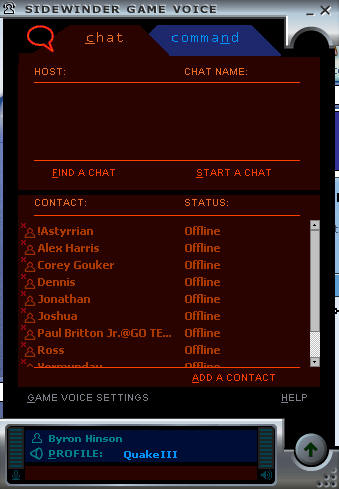
How
It Grades

Installation:
92%
Manual: 90
Performance: 92%
Drivers: 90%
Look: 80%
Feel: 90%
Help Files: 92%
Price: 85%
Overall: 91%
Specs
& Package
Overall
Score
91%
Version
Reviewed
US
Version 1.0
Release
Date
Out
Now
In
The Box?
1
CD
1 Manual
The
Good Points
Good
quality sound
Nice headset & Headphones
Good Software & Drivers
The
Bad Points
Uses
MSN Messenger
Hard To Find Other Users With The Game Voice
Doesn't Look As Good As It Does On The Box
Similar
To
Roger
Wilco
Reviewers
PC Setup
Pentium
II 450
Windows Me
128 Meg SD-Ram
Matrox G400
32MB AGP Graphics Card
DirectX 7.1a
SoundBlaster Live! Value
17" LG Electronics Monitor
Microsoft Force Feedback Pro
Microsoft
Game Pad Pro (USB)
Microsoft Digital Sound System 80
Microsoft
Intellimouse Explorer
Widescreen TV - Sony KV-28WS2U 28"
DVD-ROM: Toshiba SD-1202
PC
Required
Windows
95/98/ME Or Win 2000
Pentium 233mhz
64 mb ram
4x cd rom Drive
Mouse and Keyboard
640*480 video card with 8mb ram
45 mb free hard drive space
Sound card with full-duplex chip set and functional Line Out/
Microphone jacks


