
 |

|
| ActiveWin: Reviews | Active Network | New Reviews | Old Reviews | Interviews |Mailing List | Forums |
|
|
|
|
|
DirectX |
|
ActiveMac |
|
Downloads |
|
Forums |
|
Interviews |
|
News |
|
MS Games & Hardware |
|
Reviews |
|
Support Center |
|
Windows 2000 |
|
Windows Me |
|
Windows Server 2003 |
|
Windows Vista |
|
Windows XP |
|
|
|
|
|
|
|
News Centers |
|
Windows/Microsoft |
|
DVD |
|
Apple/Mac |
|
Xbox |
|
News Search |
|
|
|
|
|
|
|
ActiveXBox |
|
Xbox News |
|
Box Shots |
|
Inside The Xbox |
|
Released Titles |
|
Announced Titles |
|
Screenshots/Videos |
|
History Of The Xbox |
|
Links |
|
Forum |
|
FAQ |
|
|
|
|
|
|
|
Windows XP |
|
Introduction |
|
System Requirements |
|
Home Features |
|
Pro Features |
|
Upgrade Checklists |
|
History |
|
FAQ |
|
Links |
|
TopTechTips |
|
|
|
|
|
|
|
FAQ's |
|
Windows Vista |
|
Windows 98/98 SE |
|
Windows 2000 |
|
Windows Me |
|
Windows Server 2002 |
|
Windows "Whistler" XP |
|
Windows CE |
|
Internet Explorer 6 |
|
Internet Explorer 5 |
|
Xbox |
|
Xbox 360 |
|
DirectX |
|
DVD's |
|
|
|
|
|
|
|
TopTechTips |
|
Registry Tips |
|
Windows 95/98 |
|
Windows 2000 |
|
Internet Explorer 5 |
|
Program Tips |
|
Easter Eggs |
|
Hardware |
|
DVD |
|
|
|
|
|
|
|
ActiveDVD |
|
DVD News |
|
DVD Forum |
|
Glossary |
|
Tips |
|
Articles |
|
Reviews |
|
News Archive |
|
Links |
|
Drivers |
|
|
|
|
|
|
|
Latest Reviews |
|
Xbox/Games |
|
Fallout 3 |
|
|
|
Applications |
|
Windows Server 2008 R2 |
|
Windows 7 |
|
|
|
Hardware |
|
iPod Touch 32GB |
|
|
|
|
|
|
|
Latest Interviews |
|
Steve Ballmer |
|
Jim Allchin |
|
|
|
|
|
|
|
Site News/Info |
|
About This Site |
|
Affiliates |
|
Contact Us |
|
Default Home Page |
|
Link To Us |
|
Links |
|
News Archive |
|
Site Search |
|
Awards |
|
|
|
|
|
|
|
Credits |



Product:
Microsoft Encarta Reference Suite 2001 DVD
Company: Microsoft
Website: http://www.encarta.com
Estimated Street Price: $74.95/�59.99
Review By: Byron Hinson
The Features
I am a great fan of Encarta on DVD-ROM. This latest version adds even more to the ever growing encyclopedia by putting Encarta Africana and a number of other new features into the reference suite. Here are a few of the features:
Encarta Online Deluxe *The Portable
Encyclopedia
Research at your own convenience from any desktop - at work, school, or
home. Encarta Online Deluxe keeps you up to date with current Encarta
Encyclopedia Deluxe articles from any PC with Internet access.
* Free Encarta Online Deluxe offer is valid through 12/31/01. Access to and use of the internet may require payment of a separate fee to an internet service provider. Connect time charges may apply. Offer valid in the United States, District of Columbia, and Canada only.
New in this Release! Encarta Africana 3rd Edition- Encylopedia of
Black History and Culture
- Learn how people of African descent helped shape the world in this
comprehensive reference from the world's leading black scholars.
- Expanded! Library of Black America � Books, slave narratives and poems written by African Americans from 1773 to 1918.
- Dynamic Music Timeline - Hear, see, and experience the evolution of African American music from ragtime to hip-hop in this dynamic multimedia timeline.
- Expanded! Library of Black America � Books, slave narratives and poems written by African Americans from 1773 to 1918.
The #1 Best-Selling
Encyclopedia Brand The World's Most
Detailed Atlas Global English
Dictionary Created for the Internet Age
Technology: DVD-Edition Only:
DVD-Edition Only:
Installation
and Settings The Encarta Reference Suite
2001 usually comes on 7 CD's, but now with the DVD version there is no
need to spend time swapping around the CD's when you are searching for
information. Encarta has a number of different installation choices for
you to pick from, once you insert the DVD you can install various
components as shown below: Encarta
Research Organizer A tool that helps you
gather and organize information for school reports. Encarta Lesson
Collection Lesson plans and activities for
students organized by topic and grade level. Encarta Africana
Third Edition:Learn about
black history Encarta
Interactive World AtlasAccess virtually
anything on the map Natural
Language Query A utility that lets you ask
questions as well as use keywords to search in Encarta Encyclopedia. Text to Speech
A utility that lets you have articles read aloud to you in Encarta
Encyclopedia. Speech
Recognition A utility that enables you to
use voice commands instead of the mouse or keyboard to perform many
common functions in Encarta Encyclopedia. Multimedia
Catalog A multimedia preview of many
Microsoft games, home reference, and other CD-ROM titles. Installing the Encarta 2001
DVD can take a while (Especially if you choose to install Internet
Explorer 5.5 as well) but it installed without any problems. Some of the
additional features such as Speech Recognition are no longer classed as
components but part of Encarta itself. Encarta
Itself I have decided to break the
review down into separate components just like Encarta itself is. I will
begin with the Encarta Encyclopedia Deluxe 2001. Encarta Encyclopedia is
filled full of documents, topics, accounts, illustrations, sounds and
videos, everything you would want from a computer encyclopedia. For those of you who have
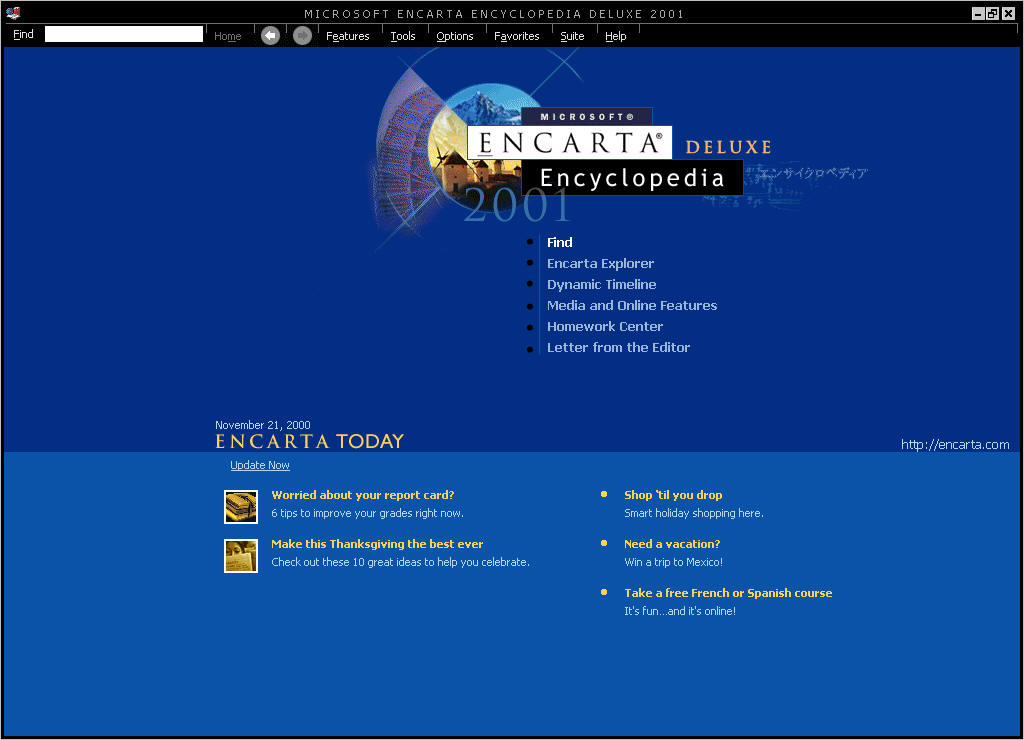
not seen the layout and design of Encarta I will explain the basic layout
for you. The basic design is similar to that of the old MSN that Microsoft
used to run, the borders and menus are in black, while the main area you
read, view articles, images etc from changes color depending on what you
are reading, although it is usually a white background. At the top of the
Encarta layout are the main menus, they include the following: Find
-- Allows you to search for items by writing in a letter/word, you can
also sort items by their type, such as sounds or images. Home
-- This brings you back to the encyclopedias main page. Features
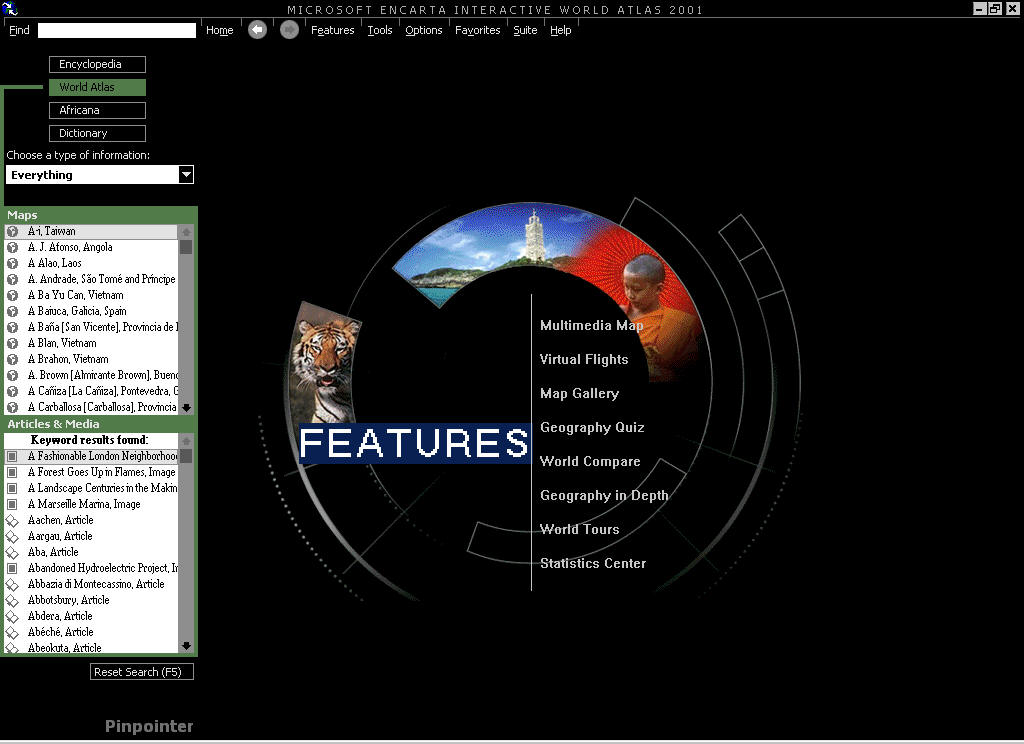
-- From here you can bring up some of the main parts of the
encyclopedia such as Time lines, world maps, access to the Web Center,
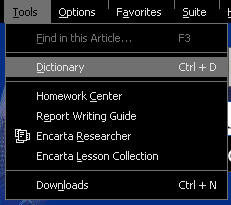
Virtual Tours and much, much more. Tools
-- You can load up the dictionary, homework center, report writing
guide and more school related tools from here. You can also update
your copy of Encarta from here via a connection to the Internet. Options
-- Find, Voice Controls and settings can all be accessed from here. Favorites
-- Add certain Encarta pages to your favorites list for easy access. Suite
-- You can load up a different suite from here. Help
-- Get easy access to help options. The main area from which you
search from is called "Find" once you click on this option via
the menu, a bar appears on the left hand side of the layout, from here you
can enter letters/words to find items you are looking for. You can also
search by type of information, this way you can filter out items and only
choose a certain type such as an image or some video footage, something
that is very useful. With the new DVD version you can also search through
each part of the Suite such as Encarta Africana or the dictionary from
just one place. The first new addition to
Encarta 2001 that you are likely to notice is the "Encarta
Today" area at the bottom of the home area. This is the first place
that the internet is being blended more and more into Encarta as each new
version comes out. Encarta today is updated every day as expected, with
new articles or information on helping you achieve better grades or
special reports on certain special dates of the year. Encarta is full of very well
written articles from science to entertainment, each item you read is
streamed off of the DVD in such a quick speed you don't notice any kind of
wait at all. Certain articles also contain different types of multimedia
such as sounds, images, video footage and some excellent 360-Degree Views. The 360-Degree Views are as
I mentioned, very impressive. They add a good level of interactivity into
the encyclopedia, even more so when they are used in the Virtual Tours
section of Encarta. From the Virtual Tours section you can travel to
destinations across the world and view them via the 360-Degree option, but
it isn't limited to just one view, clicking on hyperlinks in the video
window moves you onto new locations. As you can already see,
Encarta isn't limited to just basic articles and images it also has a host
of interactive extras for young and old alike. By clicking on the
Interactivities center via the Features menu you can view simulations on a
host of subjects. They range from building up a dinosaur from its bones to
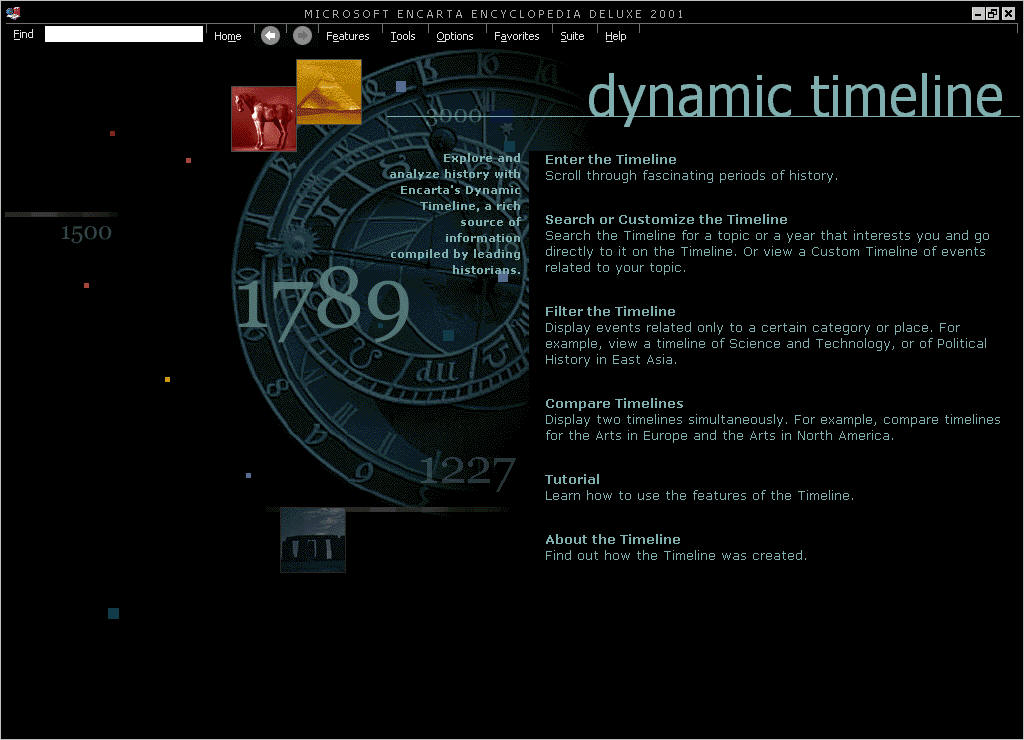
viewing the human skull anatomy. One of the features in
Encarta 2001 is the Dynamic Timeline, from here you can explore and
analyze history through a mass of timelines. At a first look it may seem a
little bit confusing, but one you start to find topics or years, searching
categories and places then it all becomes far easier and very interesting
to read. Next up we have more new
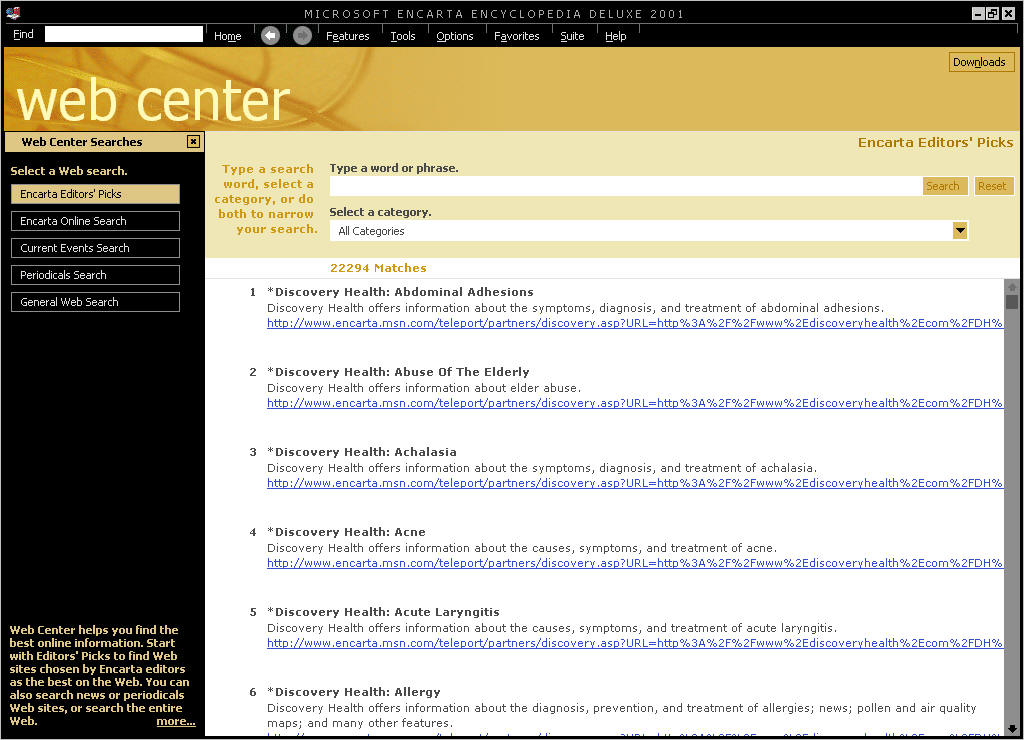
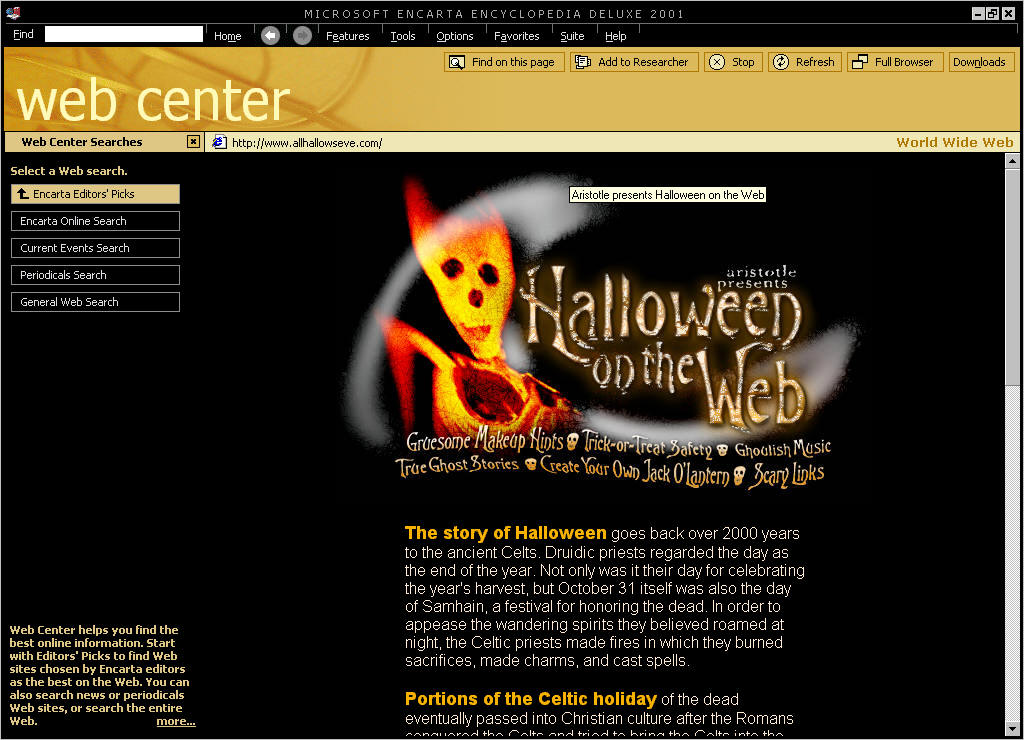
features in terms of the new Web Center (Shown below). The Encarta Web
Center integrates information from the internet which helps you learn more
about the articles you are reading through. Not only that, it means that
all of the websites you visit through the Encarta web center are suitable
for children to use without the worry of them accessing information
parents might not want them to see. The web center allows you to
search through Editor picks, the Encarta Online search engine, current
events (very handy), periodicals and a general web search. All of the
searches you do through the Encarta Web Center are displayed through. The final new feature is The
Encarta Researcher. With Encarta Researcher you can collect and organize
information that you will use to write reports, homework assignments,
essays, and more. First, use Encarta Researcher to gather information from
Encarta Encyclopedia, Encarta Interactive World Atlas, and other
resources. Then create sections to organize your research. Finally, export
your project to a word processor and edit it. You can copy text and
pictures to Encarta Researcher notes and credit all sources efficiently
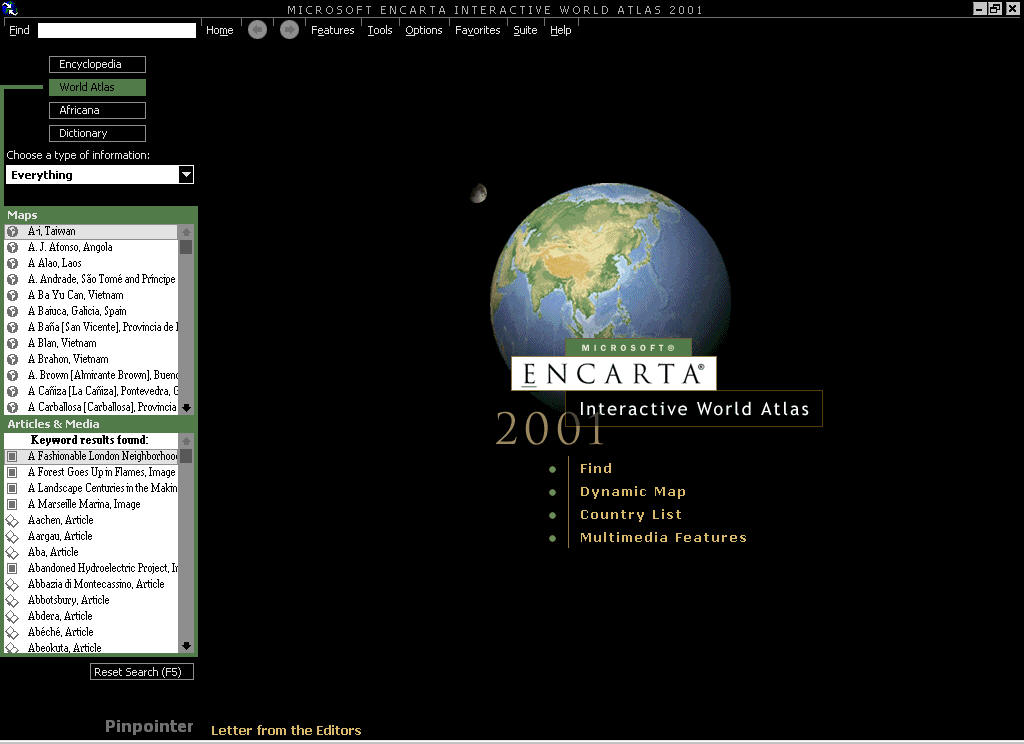
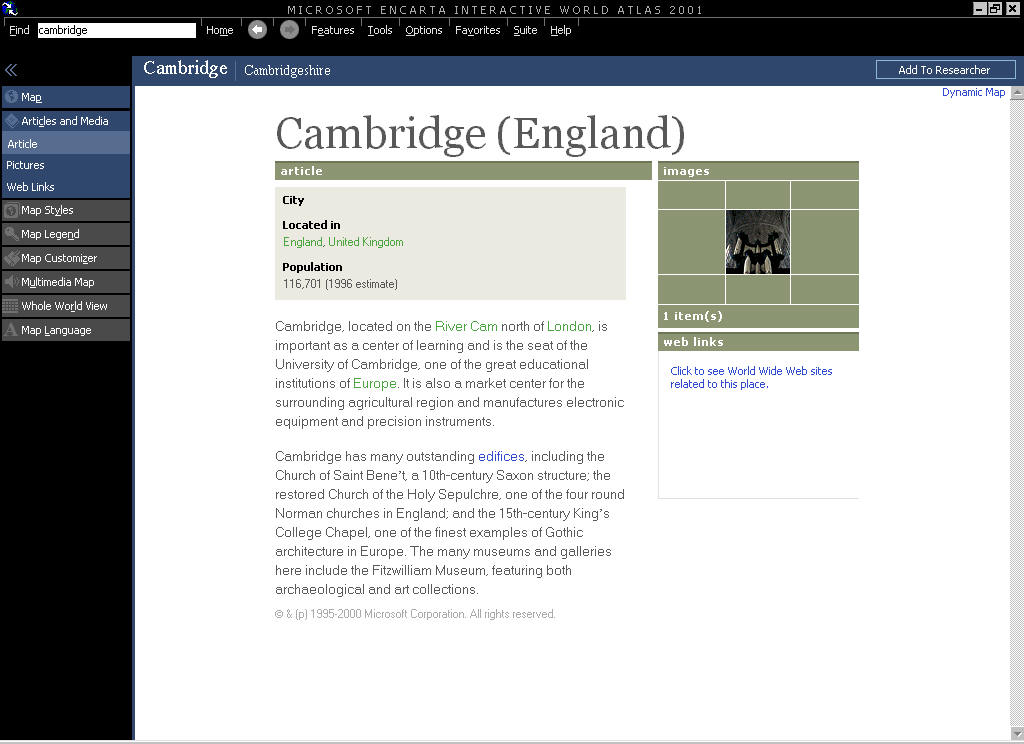
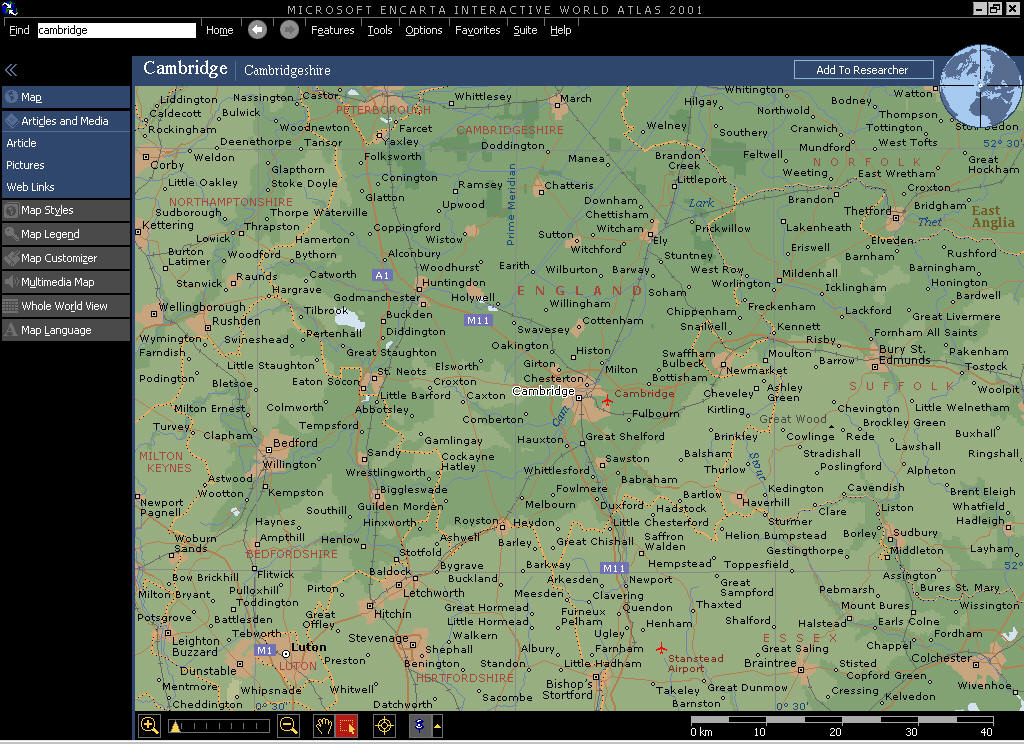
and easily. Another excellent addition to the series. The Encarta World Atlas has
over 1.8 million places included within it from around the world and is
supposedly more detailed (and who am I to argue) than any in-print atlas
around at the moment. This new edition includes Flat Maps that allow you
to look a the entire world, a place name switch that lets you view local
place names on the map which is handy when you go on holiday. Although I
find the Interactive Atlas excellent, the program has had a tendency to
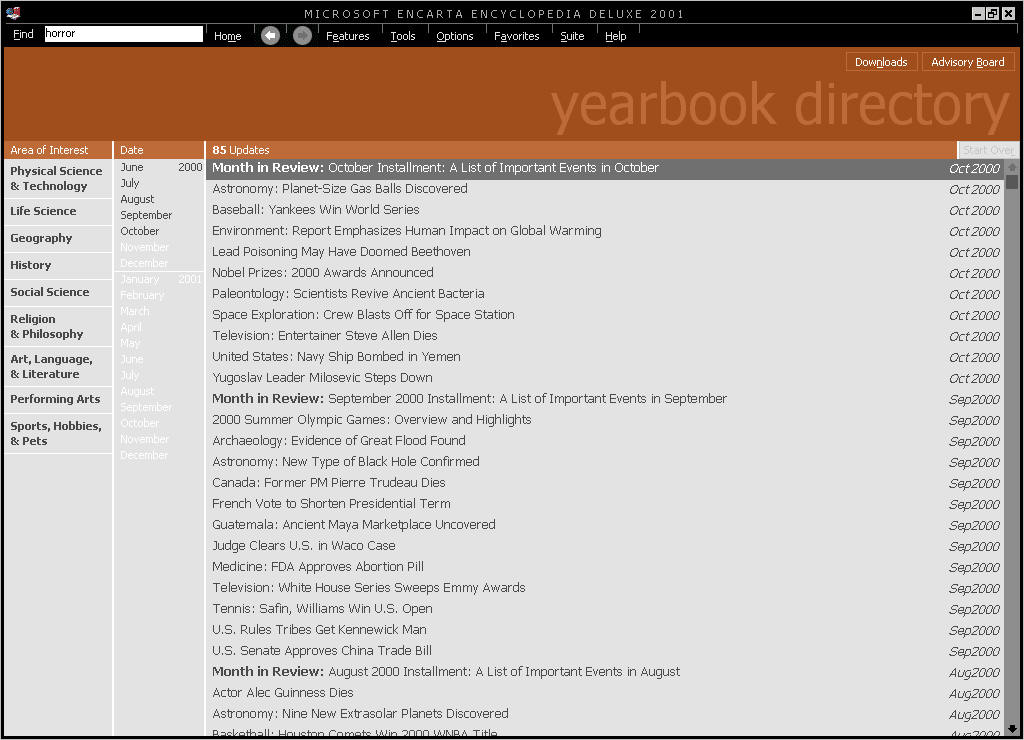
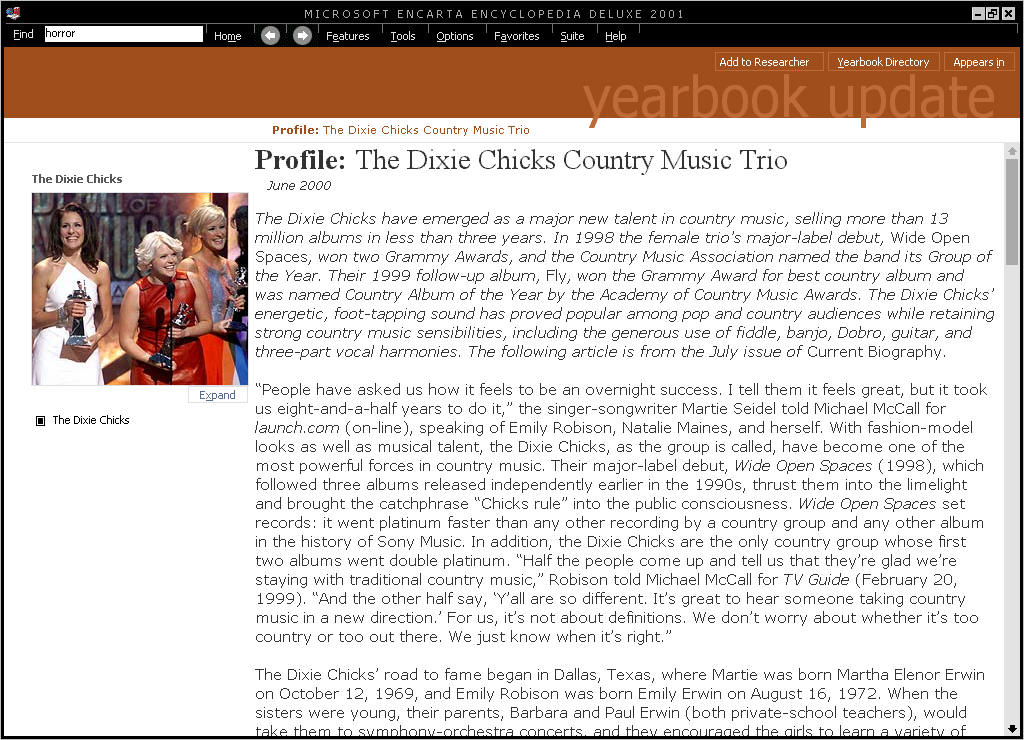
crash quite often when I have been using it. Next up we have the Internet
options. By clicking on TOOLS and then DOWNLOADS you can update your
Encarta yearbook with the latest articles and images that has been updated
by the Encarta team. New yearbook updates are released each month and only
take a few minutes to download and helps keep your articles up to date if
your children use Encarta for schoolwork. Encarta
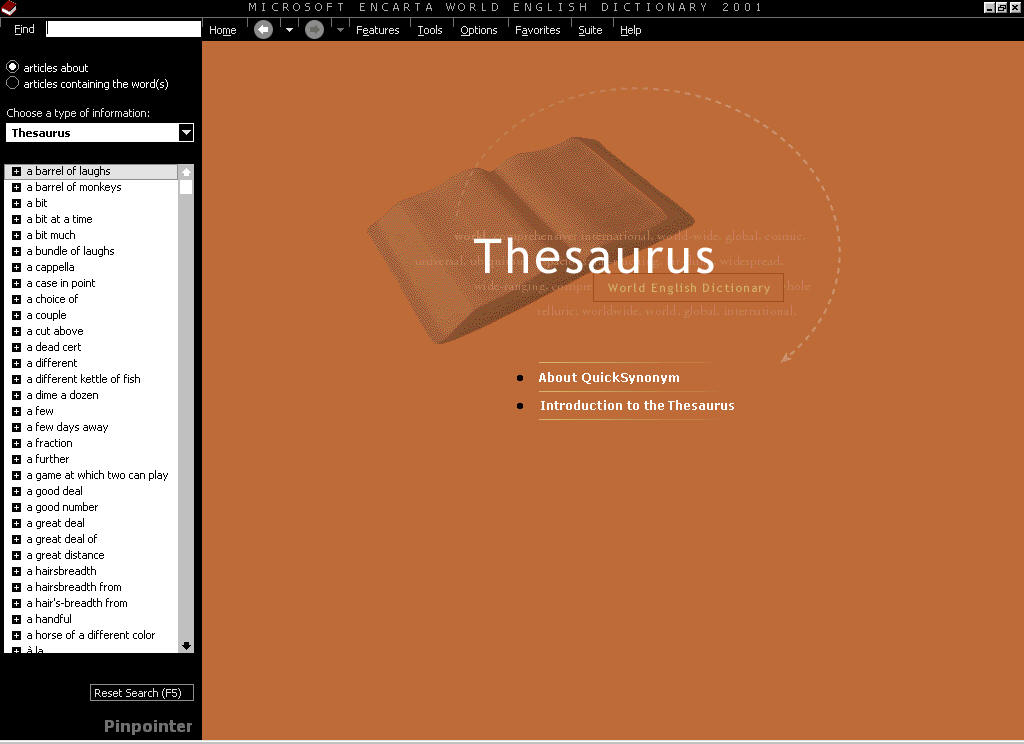
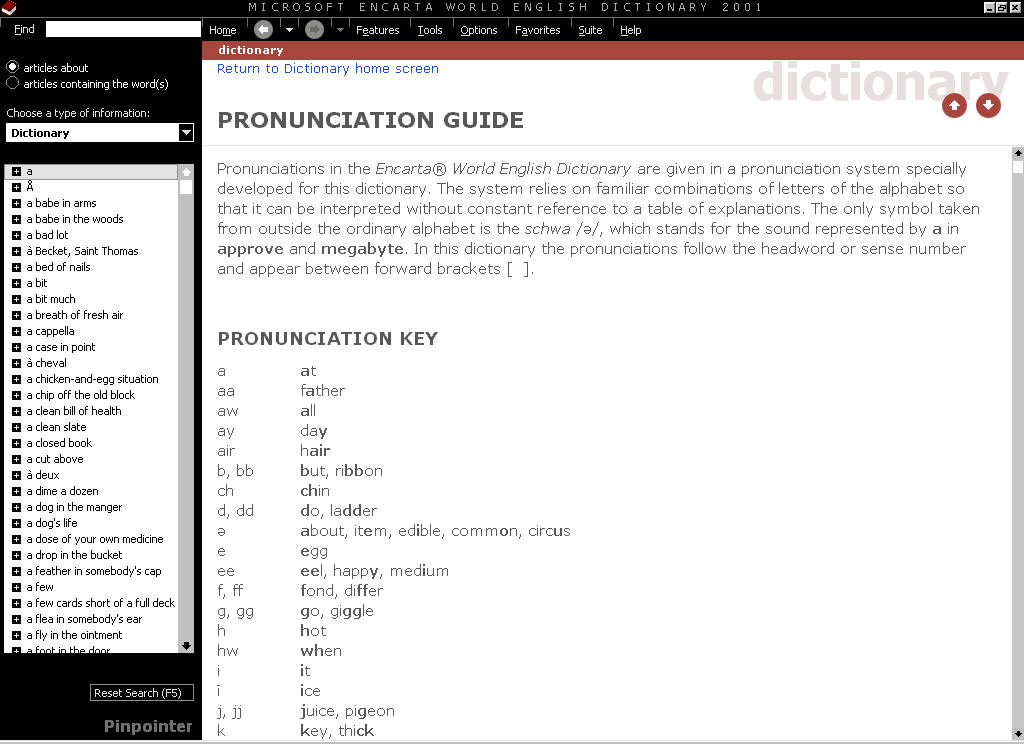
World English Dictionary Encarta 2001 Reference Suite
DVD comes with a multimedia reference library, which you can use to
enhance your written communication and find information about many
different topics. Encarta Dictionary is the first newly written English
Dictionary in over 30 years. From here you can access the Dictionary,
Thesaurus, Quotations, Almanac, Style Guide and Computer Dictionary. The
dictionary is again very well written and easy to use, with many sounds
and musical items included within it. Oh and the computer Dictionary is
also very nice too heh. New additions to this part of Encarta include the
Encarta Thesaurus and more articles, text and pronunciations. Encarta
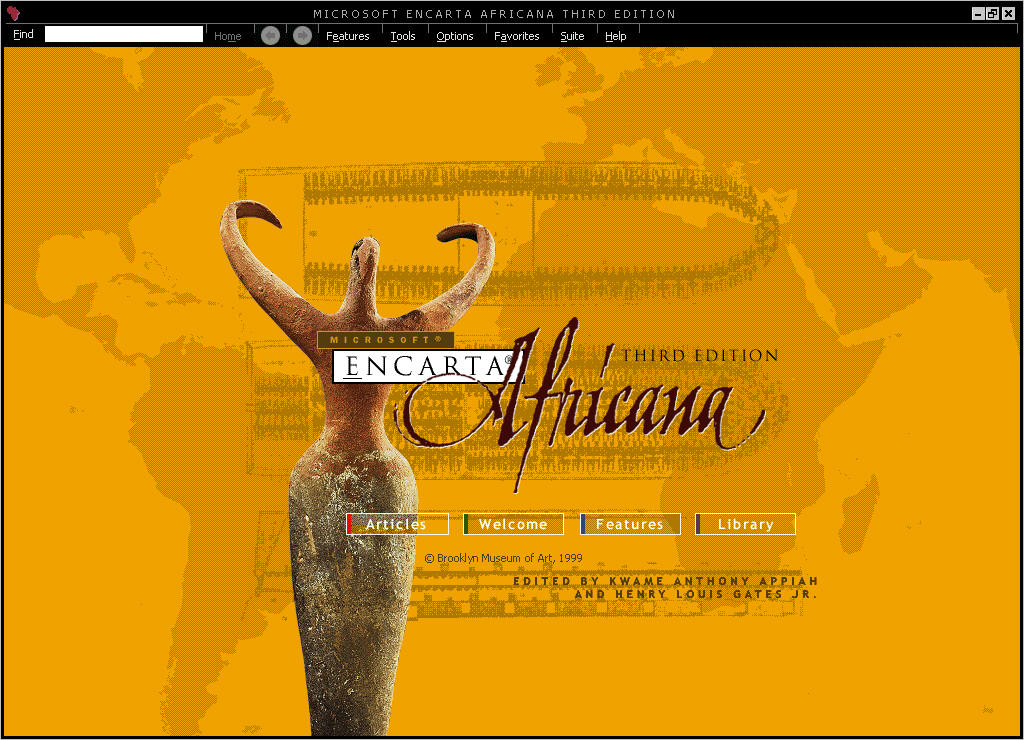
Africana Version 3 The first screen you will
come across is the one shown above. From here you can access the main
parts of Encarta Africana Third Edition: Articles:
Clicking here will take you to a random article in the Encarta
Africana Third Edition database. Welcome:
Shows a welcome video featuring Henry Louis Gates Jr. and Kwame
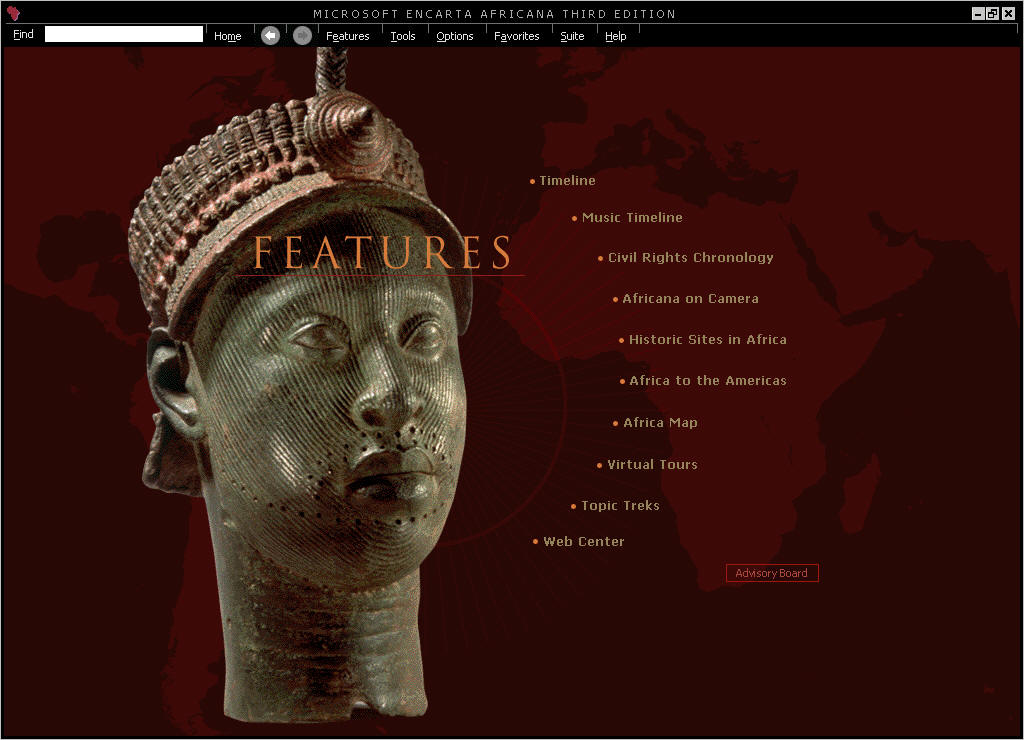
Anthony Appiah. Features:
You can access a whole load of features from here such as timelines,
maps and virtual tours. Library:
A whole load of books. Tour:
just as it states, it shows you the basics on how to browse through
Encarta Africana Third Edition. I began my browsing via the
"Find" icon at the top left of the Encarta browser, in my view
this is the easiest and fastest way of finding out information, all you
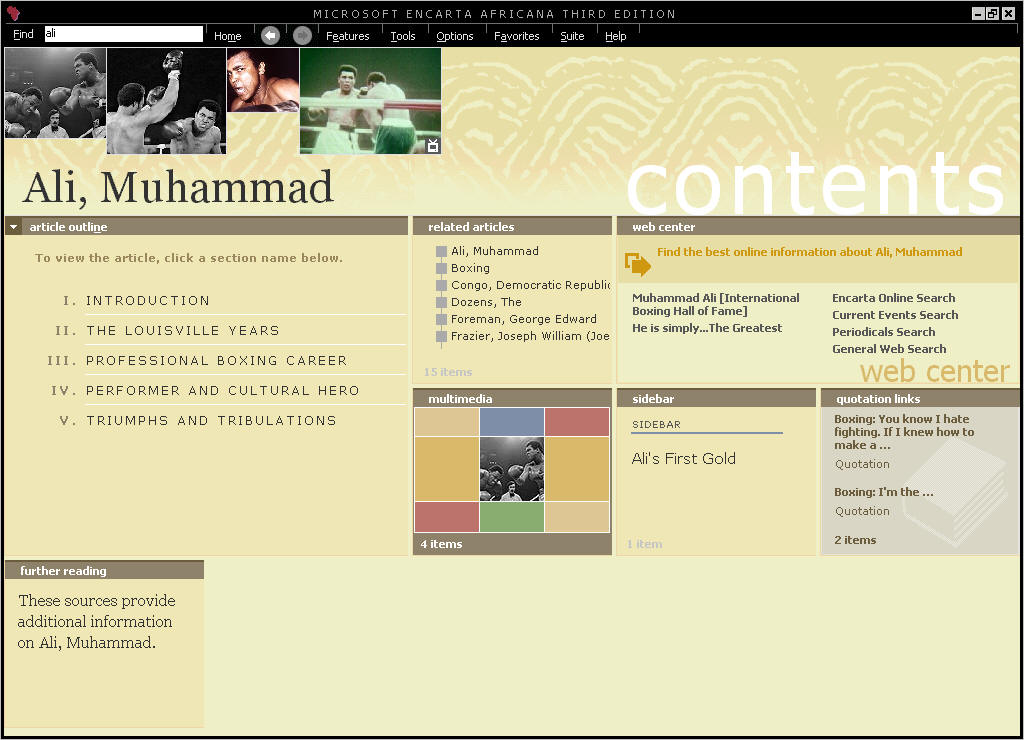
need to do is to enter a few words such as "Muhammad" and a
number of articles relating to someone with that name will appear on the
sidebar in a matter of seconds. Once I had found a name I was looking for
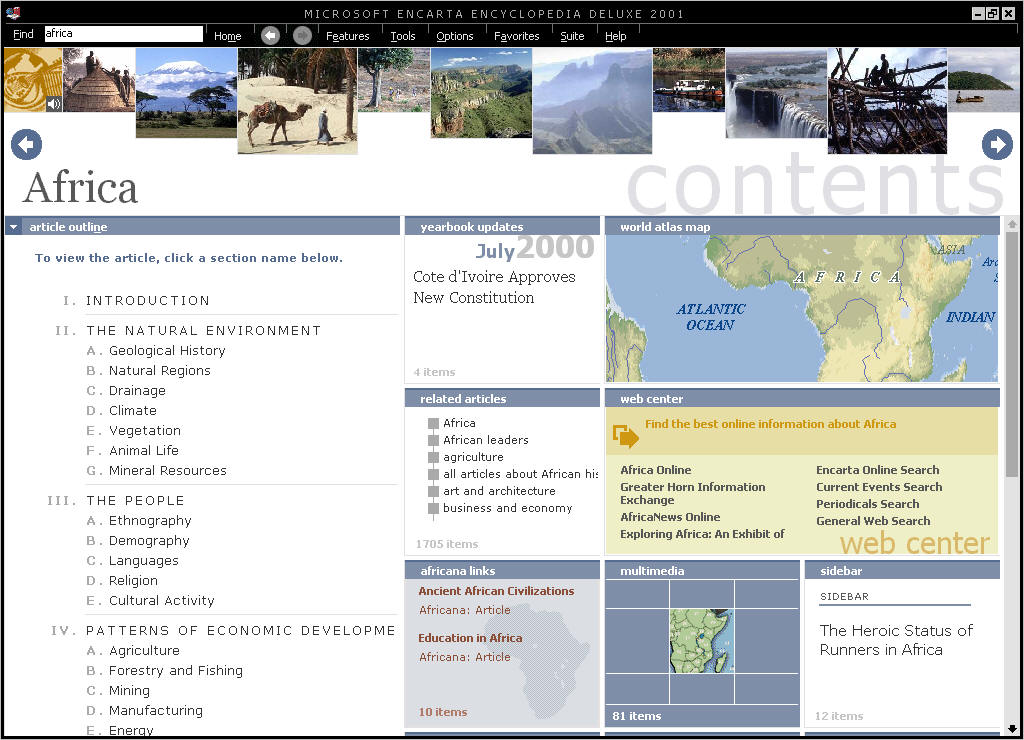
"Muhammad Ali" for example, I would click on his name and a new
contents area would load up in the Encarta Browsers main window, from here
you can get to introductions about Ali, photos, web searches and Ali's
great moments in sport. Remember though that these
kinds of large-scale information pieces are not just for big name African
Americans, but also for lesser known people (to me) such as Sonny Liston
(Another boxer) and Philip Randolph. Another point is that the large
content pages are also not just for people, they can be for places,
religions, sports music etc...there are a whole load of them to choose
from and to read through. The next section I visited
was the "Africa On Camera" area, which is based in the features
part of Encarta Africana. This area consists of a number of videos, which
are narrated by some very famous people such as Kofi
Annan, secretary general of the United Nations, Comedienne Whoopi Goldberg
and Colin Powell, each video lasts 3-4 minutes and each one was very
interesting to listen through. Next we have the Civil
Rights Chronology, from here you can read all about the Civil Rights
Movement between the years of 1950 and 1968, again there are links to
articles, video clips, music to listen to and photos to glance over in
this section, yet another interesting read. Finally we have the
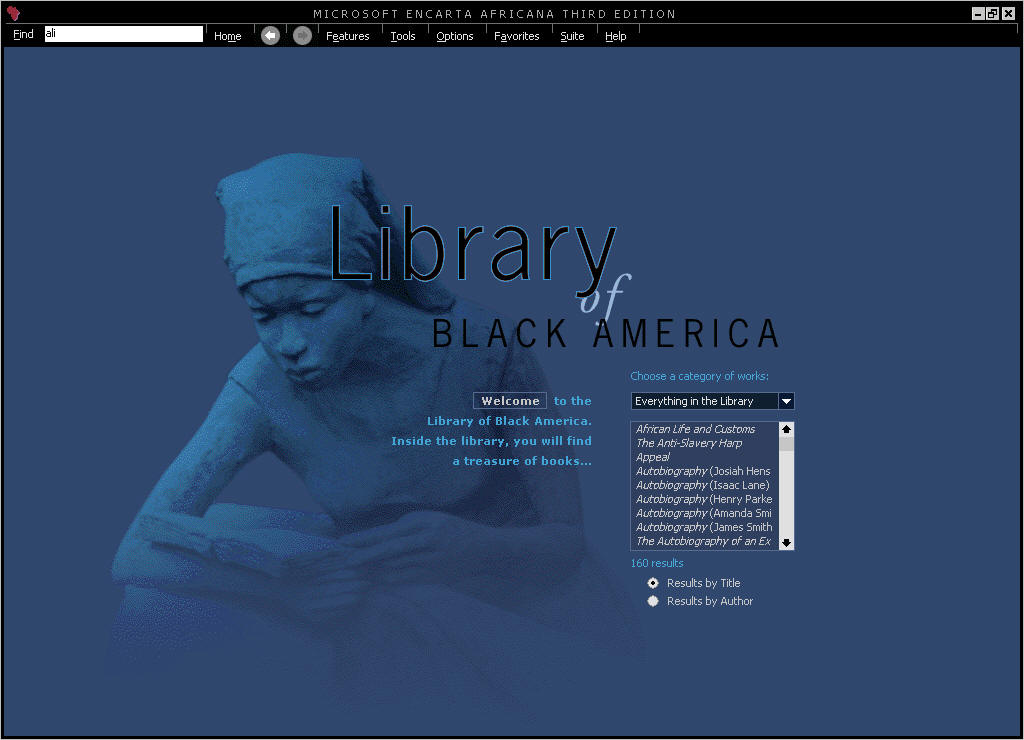
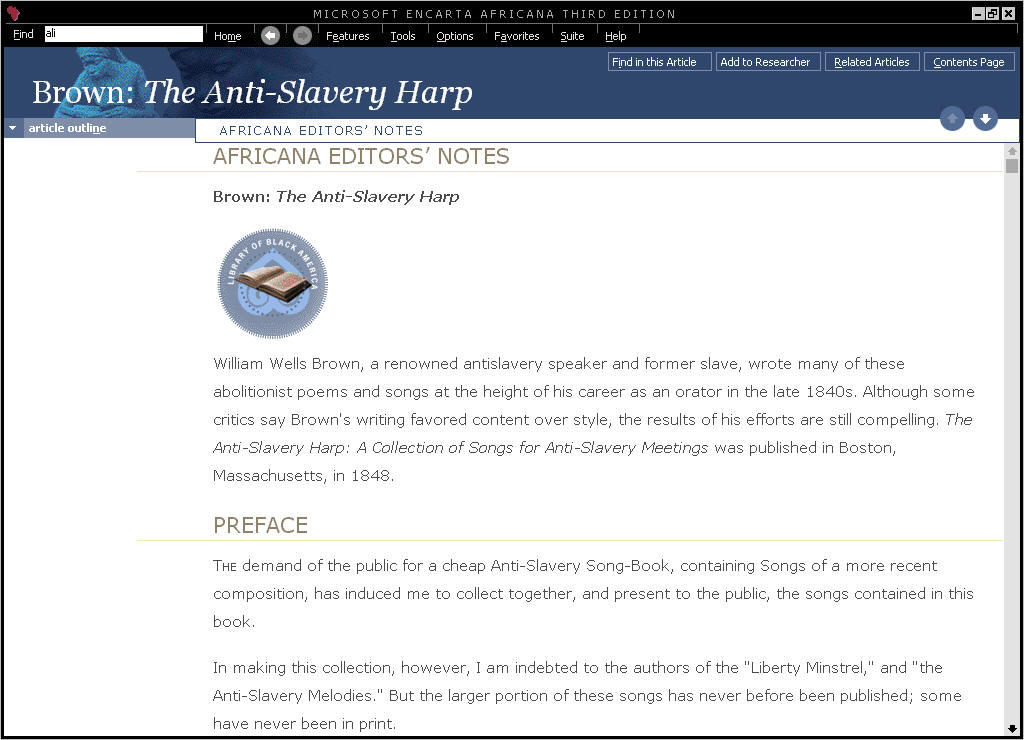
"Library Of Black America" (Shown Below), it contains over 140
pieces of work written by African-Americans prior to 1918 and there are
pages and pages of work to read through here. The library ranges from
novels, slave narratives to poetry and other works. There are many, many more
sections that you can go through that I have not mentioned in my review
such as Historic Sites In Africa, African Maps, Africa To The Americas but
a lot of these are similar in style to the Encarta 2001 release that came
out not so long ago. As usual with Encarta there are a number of excellent
links to websites that you will come across for example, if you were
looking at an actors information in Encarta Africana you could click on a
link that would take you to the Internet Movie Database to find out even
more about that particular person. Encarta Africana is another
excellent encyclopedia release from Microsoft, there is yet again so much
here to go through that it would take many, many pages to talk about it
all, the new additions to the Music timelines and the Library of Black
America are all worthy of a new release. Everything is well written and
superbly designed and most importantly, easy to get to. Although nothing new has
really been added to Encarta Africana Third Edition this time round,
adding it to the Encarta Reference Suite means that the package is better
than ever before. A great encyclopedia about African Americans that should
be checked out by everyone interested in African American history. Final
Comments I can't say enough good
things about Encarta 2001 Reference Suite, it really is an excellent
purchase. There is so much information to go through that it will take
months to work through it all. The only downside has been the crashes I
ran into while using the Encarta Interactive Atlas, but these didn't
really hamper my enjoyment of the suite. An excellent purchase, go out and
buy it now. DVD TV Player - Pioneer DV-626D
Start with a wealth of authoritative reference materials on CD compiled by
the world's leading authorities in reference and educational publishing.
Then expand your search to selected web sites and beyond.
Encarta Interactive World
Atlas 2001
Explore 21 map styles and nearly 1.8 million place names - eight times the
detail of any printed atlas!
Encarta World English
Dictionary 2001
Review
Quotes

"The
360 Degree Views Are Very Impressive"
Review
Quotes
"Encarta
Researcher: Another Excellent Addition To Encarta"
Review
Quotes
"Encarta
Africana Is Another Excellent Encyclopedia From Microsoft"
How
It Grades
Ease
Of Use: 91%
Articles: 92%
Design: 93%
Video: 87%
Online Access: 91%
Sound: 92%
Music: 90%
Manual: 75%
Interface: 94%
Overall: 92%
Specs
& Package
Overall
Score
92%
Version
Reviewed
Encarta
2001 Reference Suite DVD
Release
Date
Out
Now
In
The Box?
1
DVD
1 Manual
The
Good Points
Massive
Articles
Encarta Africana Now Part Of The Suite
Great Sound
Easy To Use
Great Online Parts
The
Bad Points
Big
Memory Leaks In The Interactive Atlas
Similar
To
Reviewers
PC Setup
Pentium
II 450
Windows Me
128 Meg SD-Ram
Matrox
G400 32MB AGP Graphics Card
DirectX 7.1a
SoundBlaster Live! Value
17" LG Electronics Monitor
Microsoft Force Feedback Pro
Microsoft
Game Pad Pro (USB)
Microsoft Digital Sound System 80
Microsoft
Intellimouse Explorer
Widescreen TV - Sony KV-28WS2U 28"
DVD-ROM: Toshiba SD-1202
PC
Required
Windows
95/98/ME Or Win 2000
Pentium 133mhz
32 MB Ram
DVD-ROM Drive
Mouse and Keyboard
640*480 video card with 8mb ram
Windows compatible sound device
155 MB of free hard drive space


